Choosing the right mount can make a big difference in how your golf simulator looks and performs. The best setups keep the projector centered, stable, and easy to fine-tune.
Below, we focus on 10 options built for flexible height adjustment, wall-or-ceiling installation, and the kind of positioning control golfers need for a clean image over the hitting area.
Best 10 Golf Simulator Projector Mounts with Extension Pole Picks for 2026
Heavy-Duty 3-in-1 Mount
Wall/Ceiling Projector Mount with Extension Pole

- 44 lb steel build with anti-slip pads
- 3-in-1 wall, flush ceiling, or arm mount
- ±15° tilt/swivel and cable channels
Best For: Flexible installs that need a sturdy, adjustable mount
Commercial Series Pole Mount
Extendable Pole Ceiling Bracket

- 50 lb capacity for heavier projectors
- 360-degree rotation for centering
- Ceiling-and-pole design for overhead installs
Best For: Straightforward ceiling installs with a higher load limit
Versatile 3-in-1 Mount
Projector Ceiling Mount and Wall Mount

- 3-in-1 flush, ceiling arm, or wall install
- Built-in cable management
- ±15° tilt, ±8° swivel, 360° rotation
Best For: Users who want maximum adjustability and clean cable routing
Extra-Long Extendable Mount
Ceiling Projector Mount Bracket
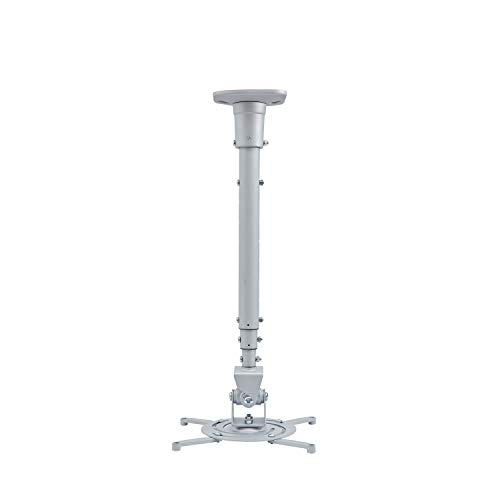
- 43.6-inch extendable arm
- 30 lb steel construction
- 25° tilt, 90° swivel, 360° rotation
Best For: Flat-ceiling setups that need a long reach
Versatile wall/ceiling pick
Wall/Ceiling Projector Mount with Telescoping Arm
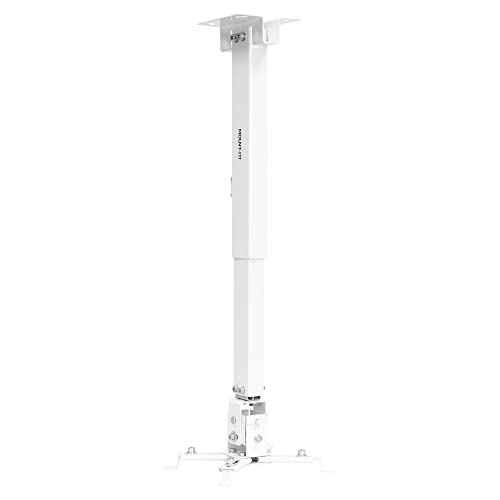
- 3-in-1 installation: flush ceiling, telescoping ceiling, or wall
- Adjusts from 5" to 25.6" on ceiling installs; 16.9" to 25.6" on wall
- Solid steel build with cable management and 44 lb capacity
Best For: Flexible projector placement in rooms that need multiple mounting options
Extra-long drop option
23 to 41 in Adjustable Projector Ceiling Mount

- Extension pole adjusts from 23" to 41"
- 360° horizontal and 90° vertical rotation
- Universal fit for most one-hole projectors; about 11 lb capacity
Best For: High ceilings and longer drop requirements with lighter projectors
Heavy-duty adjustable choice
3-in-1 Projector Mount with Extension Pole

- 3-in-1 wall or ceiling installation with retractable arm
- Supports projectors up to 40 lb with high-grade steel
- Includes +/- 8° tilt and +/- 15° swivel
Best For: Standard-size projectors that need a sturdy, adjustable mount
Compact Mini Projector Mount
DAWASAPAT 1/4-Inch Adjustable Ceiling/Wall Mount
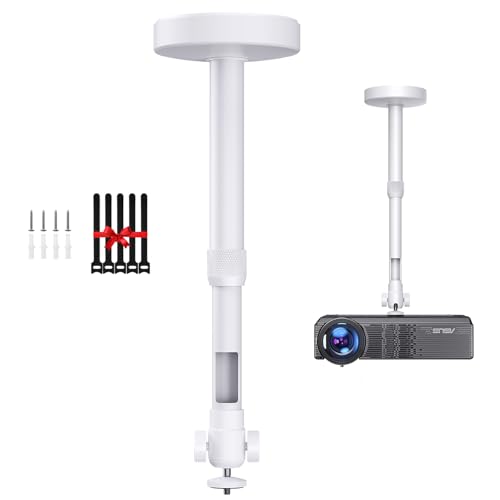
- 11.7" to 17.2" telescoping pole
- 360° rotation and 90° tilt
- Best with 1/4-inch mini projectors
Best For: lightweight mini-projector simulator installs
Heavy-Duty Long-Reach Mount
DYNAVISTA Full Motion Extendable Ceiling Bracket
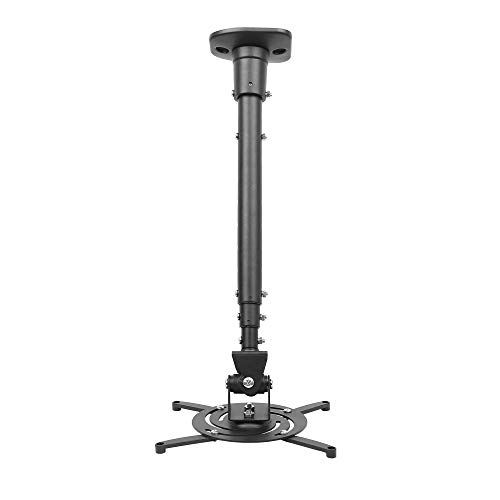
- 43.6" max extension for long throw placement
- Up to 30 lbs load capacity
- Full-motion tilt, swivel, and rotation
Best For: larger projector setups needing maximum reach
2-in-1 Adjustable Mount
DAWASAPAT 11.7" to 17.2" Ceiling or Wall Holder

- Ceiling or wall installation
- 11.7" to 17.2" adjustable pole
- 360° rotation with 90° tilt
Best For: small projector setups needing flexible placement
Heavy-Duty 3-in-1 Mount – Wall/Ceiling Projector Mount with Extension Pole
If you’re shopping for golf simulator projector mounts with extension pole, this 3-in-1 option is built for flexible placement in garages, home theaters, or office setups. It supports wall mount or ceiling installation, and the telescoping arm helps you fine-tune projector position for screen alignment.
Best For: Users who want a sturdy, adjustable projector mount that can work on either a wall or ceiling.
Pros:
- Heavy-duty steel construction with anti-slip rubber pads and a 44 lb weight capacity.
- 3-in-1 design supports flush ceiling, telescoping ceiling arm, or wall mount installation.
- ±15° tilt and ±15° swivel help with precise aiming.
- Integrated cable channels and quick-release hooks support a cleaner install.
Cons:
- Not suitable for vaulted ceilings.
- Projector compatibility depends on a 7.85″-12.2″ diagonal mounting hole layout.
Overall, this is a practical choice if you want one mount that covers multiple install styles and offers solid stability for a fixed simulator setup.
Commercial Series Pole Mount – Extendable Pole Ceiling Bracket
For golf simulator projector mounts with extension pole, this Monoprice ceiling bracket is aimed at straightforward overhead installs with a strong load rating. The extendable pole format and 360-degree rotation make it a useful fit when you want to center the image without adding extra complexity.
Best For: Buyers who want a simple, commercial-style ceiling pole mount with a higher weight limit.
Pros:
- Supports projectors up to 50 lbs.
- 360-degree rotation adds placement flexibility.
- Ceiling-and-pole mounting style keeps the setup focused and compact.
Cons:
- Only listed as a ceiling mount, so it is less versatile than wall-and-ceiling options.
- No built-in cable management or fine-angle adjustment details were provided in the notes.
This is a solid pick if your priority is a durable overhead mount with a higher capacity and you do not need extra installation modes.
Versatile 3-in-1 Mount – Projector Ceiling Mount and Wall Mount
If you’re comparing golf simulator projector mounts with extension pole, this Mount-It! model stands out for its 3-in-1 layout and broad adjustability. It can be used as a flush mount, a telescoping arm ceiling mount, or a wall mount, which gives you a lot of flexibility when dialing in projector placement.
Best For: Shoppers who want a highly adjustable mount with multiple installation options and built-in cable management.
Pros:
- 3-in-1 design works as a flush ceiling mount, telescoping arm ceiling mount, or wall mount.
- Extends from 13.5″ to 22.5″ on wall installs and 4.5″ to 25.5″ on ceiling installs.
- Includes built-in cable management for a cleaner setup.
- Offers ±15° tilt, ±8° swivel, and 360° rotation.
Cons:
- Not intended for vaulted ceilings or drywall.
- Weight limit is 40 lbs, which is lower than some heavy-duty alternatives.
For a simulator or home projection setup where placement flexibility matters, this mount gives you a strong mix of adjustability, cable control, and installation versatility.
Extra-Long Extendable Mount – Ceiling Projector Mount Bracket
When you’re looking at golf simulator projector mounts with extension pole, this DYNAVISTA bracket is notable for its very long arm reach. It works with flat ceilings and gives you a long extension range, which can help when you need to position the projector farther from the ceiling for alignment.
Best For: Buyers who need a long-reaching ceiling mount for a flat-ceiling projector setup.
Pros:
- 43.6-inch extendable arm offers a long reach.
- Supports up to 30 lbs with heavy-duty steel construction.
- Full motion adjustment includes 25° tilt, 90° swivel, and 360° rotation.
- Pre-assembled design with quick-release hooks can simplify installation.
Cons:
- Only supports flat ceilings, so installation options are limited.
- 30 lb capacity is lower than some competing mounts.
- Requires pre-drilled mounting holes and a projector with a max 12.1-inch hole distance.
This mount makes the most sense if you need extra extension and broad angle control more than multi-surface installation flexibility.
Versatile wall/ceiling pick – Wall/Ceiling Projector Mount with Telescoping Arm
If you need one of the more flexible golf simulator projector mounts with extension pole styling, this Mount-It! unit gives you wall or ceiling installation options plus a telescoping arm for dialing in placement. It’s built from solid steel, supports a wide range of projectors, and offers enough motion adjustment to help you line up the image on your screen.
Best For: Buyers who want a versatile wall-or-ceiling projector mount with a long adjustable reach.
Pros:
- 3-in-1 design supports flush ceiling, telescoping ceiling, and wall installation.
- Full-motion adjustment includes +/- 15° pitch, +/- 8° roll, and 360° swivel.
- Height adjustment reaches 5″ to 25.6″ for ceiling installs, with wall extension from 16.9″ to 25.6″.
- Solid steel construction and cable management help keep the setup sturdy and tidy.
Cons:
- Only works with projectors whose mounting holes fall between 8.85″ and 12.40″.
- Listed load capacity is 44 lb, so it may be more mount than some lighter setups need.
This is a strong choice if you want a practical adjustable mount that can adapt to different room layouts. The long extension range and multi-angle movement make it especially useful when projector placement is limited.
Extra-long drop option – 23 to 41 in Adjustable Projector Ceiling Mount
For golf simulator projector mounts with extension pole needs, this 2-Be-Best model stands out for its extra-long adjustable reach. The pole extends from 23 to 41 inches, making it a useful option when you need to drop the projector farther from the ceiling or position it for a better viewing angle.
Best For: High ceiling installations and setups that need a long drop from the mounting point.
Pros:
- Extendable pole ranges from 23″ to 41″ for extra-long positioning.
- 360° horizontal rotation and 90° vertical rotation help fine-tune alignment.
- Universal mounting works with almost all one-hole projectors and includes multiple screw sizes.
- Thickened aluminum alloy construction and anti-shake design add stability.
Cons:
- Maximum load capacity is about 11 lb / 5 kg, so it’s aimed at lighter projectors.
- Primarily a ceiling mount, so it’s less versatile than 3-in-1 designs.
If your priority is simply getting a projector farther down from a high ceiling, this mount delivers the longest reach in this group. It’s best viewed as a purpose-built solution for lighter projectors that need extra drop and angle control.
Heavy-duty adjustable choice – 3-in-1 Projector Mount with Extension Pole
This DAWASAPAT model is a practical pick if you’re comparing golf simulator projector mounts with extension pole features and want a sturdy, adjustable bracket. It supports wall or ceiling installation, includes a retractable arm, and is rated for projectors up to 40 lb, making it a strong fit for many home and office setups.
Best For: Users who want a sturdy, adjustable mount for standard-size projectors.
Pros:
- 3-in-1 design supports flush ceiling, telescoping ceiling, and wall installation.
- Solid high-grade steel construction supports projectors up to 40 lb.
- Adjustment range includes +/- 8° tilt and +/- 15° swivel for aiming flexibility.
- Quick-release hooks and included hardware simplify installation.
Cons:
- Does not support vaulted ceilings or regular drywall.
- Only fits projectors with mounting holes between 8.85″ and 12.44″ diagonally and does not work for mini projectors.
This mount is a solid middle-ground option: sturdy, adjustable, and built for common projector sizes. If your projector matches the fit requirements, it offers the kind of practical flexibility that works well for a simulator room.
Compact Mini Projector Mount – DAWASAPAT 1/4-Inch Adjustable Ceiling/Wall Mount
If you need one of the more compact golf simulator projector mounts with extension pole for a lightweight setup, this DAWASAPAT bracket is built around a 1/4-inch screw connection and a telescoping pole. It’s aimed at mini projectors and gives you basic angle control for dialing in a screen or impact area without taking up much space.
Best For: Mini projectors in a small room or lightweight simulator setup where a short extension pole is enough.
Pros:
- Adjustable pole extends from 11.7″ to 17.2″ for added height flexibility.
- 360° rotation and 90° tilt help fine-tune projection angle.
- Supports ceiling mounting up to 2 kg on solid wood, brick, or concrete.
- Includes cable ties and installation hardware.
Cons:
- Only works with projectors that have a 1/4-inch screw hole.
- Not recommended for larger projectors.
- Not suitable for vaulted ceilings or regular drywall.
This is a practical choice if your projector is small, compatible, and you want a simple adjustable mount rather than a heavy-duty suspension system.
Heavy-Duty Long-Reach Mount – DYNAVISTA Full Motion Extendable Ceiling Bracket
For golf simulator projector mounts with extension pole that need serious reach, this DYNAVISTA ceiling bracket stands out with a long extendable arm and full-motion adjustments. It’s designed for flat ceilings and can cover a wide range of projector positions, which is useful when you need to place the image farther back or clear obstructions.
Best For: Larger projectors and simulator rooms that need a long extension from the ceiling.
Pros:
- Extends up to 43.6″ and collapses to 23″ with the arm attached.
- Supports projectors up to 30 lbs.
- Tilts 25°, swivels 90°, and rotates 360° for broad aiming control.
- Pre-assembled design and quick-release hooks simplify installation.
Cons:
- Requires a flat ceiling.
- Bulkier than compact mini-projector mounts.
- Mounting holes must fit within the 12.1″ spacing limit.
If you need a mount that prioritizes reach and load capacity over compact size, this is the most robust option in the group.
2-in-1 Adjustable Mount – DAWASAPAT 11.7" to 17.2" Ceiling or Wall Holder
This DAWASAPAT option is a straightforward fit for golf simulator projector mounts with extension pole when you want a compact 2-in-1 design for ceiling or wall use. It uses a 1/4 screw thread, rotates 360°, and tilts 90°, making it easy to aim a mini projector into a simulator bay or practice area.
Best For: Mini projector users who want a simple ceiling-or-wall mount with an adjustable pole.
Pros:
- Telescoping length adjusts from 11.7″ to 17.2″.
- 360° rotation and 90° tilt support flexible aiming.
- Works as a ceiling or wall mount.
- Made from aluminum alloy and rated for up to 4.4 lbs.
Cons:
- Only compatible with 1/4-inch screw-hole projectors.
- Not supported on vaulted ceilings or regular drywall.
- Weight limit is low compared with full-size projector mounts.
This model makes sense if your simulator projector is small and you want a compact mount that can adapt to either wall or ceiling placement.
How We Picked the Best Golf Simulator Projector Mounts with Extension Pole
We focused on mounts that fit the needs of Golf Simulator Projector Mounts with Extension Pole use: adjustable height, broad compatibility, secure weight ratings, and practical tilt/swivel movement for image alignment. We also prioritized models that support either wall or ceiling installation, since simulator rooms vary a lot in layout.
Quick Comparison
The main differences come down to extension length, mounting style, and adjustability. Shorter mounts work well when the ceiling is already at the right height, while long-pole options are better for high ceilings or when you need to clear beams, lights, or ducting. Multi-directional mounts are usually easier to dial in, especially if the projector is not perfectly centered over the screen.
Key Buying Factors for Golf Simulator Projector Mounts with Extension Pole
Height Range
Make sure the extension pole covers your actual ceiling height and gives you enough room to place the projector at the correct throw distance. Too little range can force awkward placement or image distortion.
Adjustment Range
Look for tilt, swivel, and rotation. These controls help you square the image to the impact screen without overusing keystone correction, which can reduce image quality.
Load Capacity and Compatibility
Check both the projector’s weight and the mount’s supported weight. Universal brackets are helpful, but confirm your projector’s mounting pattern before buying.
Installation Location
Wall-and-ceiling-ready designs are especially useful for simulator bays, garages, and multi-use rooms. If your space has limited overhead clearance, a flush or shorter extension design may be a better fit than a tall pole mount.
Stability and Cable Management
A solid mount matters in golf simulator rooms where vibration, ball impact, or nearby movement can shake the image. Cable routing is also worth considering so HDMI and power lines stay neat and protected.
Who Should Buy Which Golf Simulator Projector Mounts with Extension Pole?
If you have a high ceiling, choose a longer extension pole for easier projector placement. If your room is compact, a lower-profile adjustable mount will usually be simpler to install and align. For buyers who want the most flexibility, the best choice is typically a universal mount with strong tilt/swivel control and multiple install options. For anyone building a dedicated simulator, investing in a stable mount now can save time later and make image calibration much easier.